
by
Gauthier
·
July 30th

Requirements
A FanBase account with at least one platform connected (Instagram, TikTok, Discord, etc.)
Claude, ChatGPT, or any tool supporting custom MCPs.
Setup
Note - FanBase is soon launching in the ChatGPT app store for one click install. Until then, add it manually, it takes about a minute.
In ChatGPT
Go to https://chatgpt.com/plugins#settings/Security → Enable Developer mode
Go to https://chatgpt.com/plugins → Click on the + icon
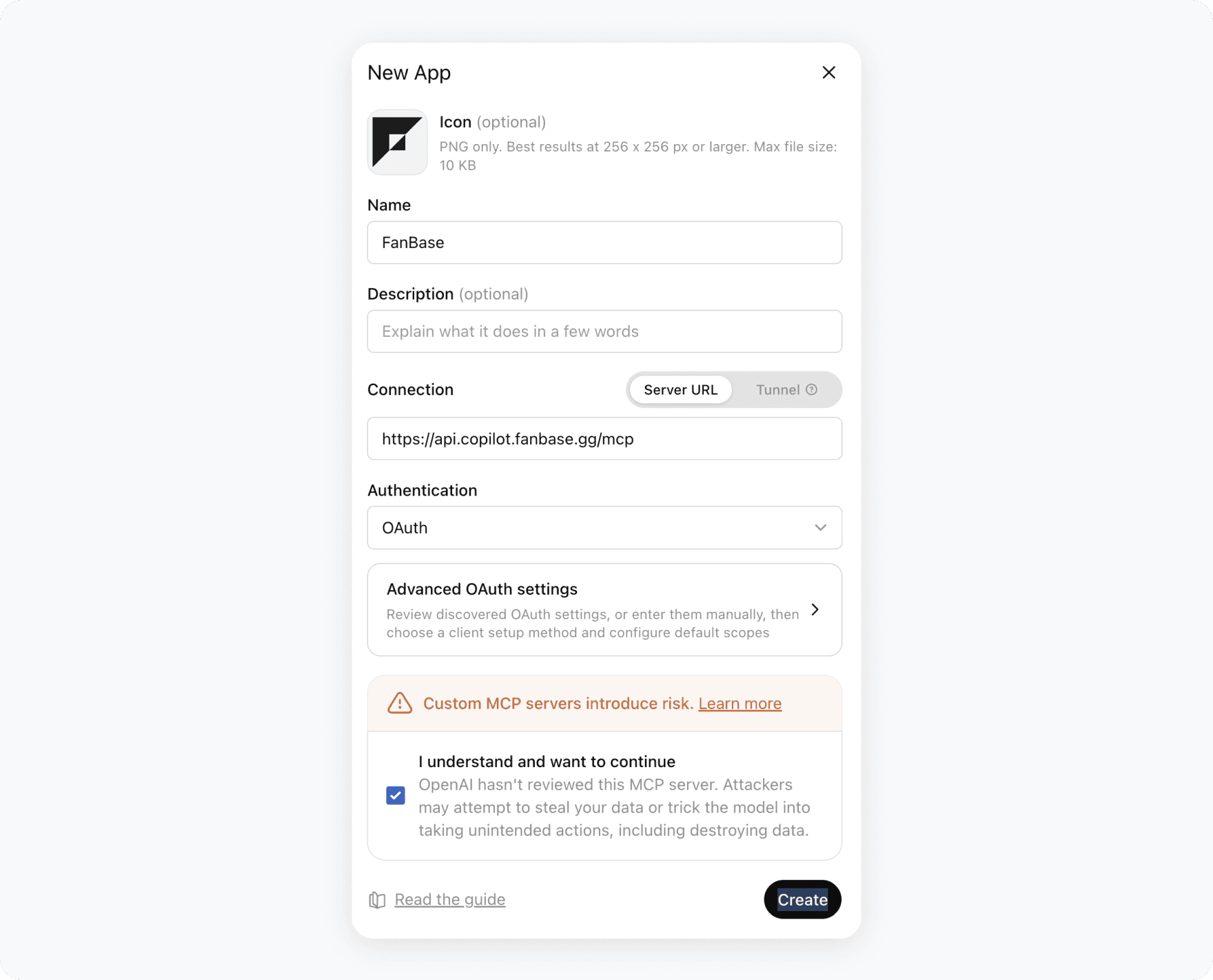
It will then invite you to authenticate to your FanBase account. Once you're done, just mention @FanBase in a conversation (or with instructions) to use FanBase's tools.
In Claude
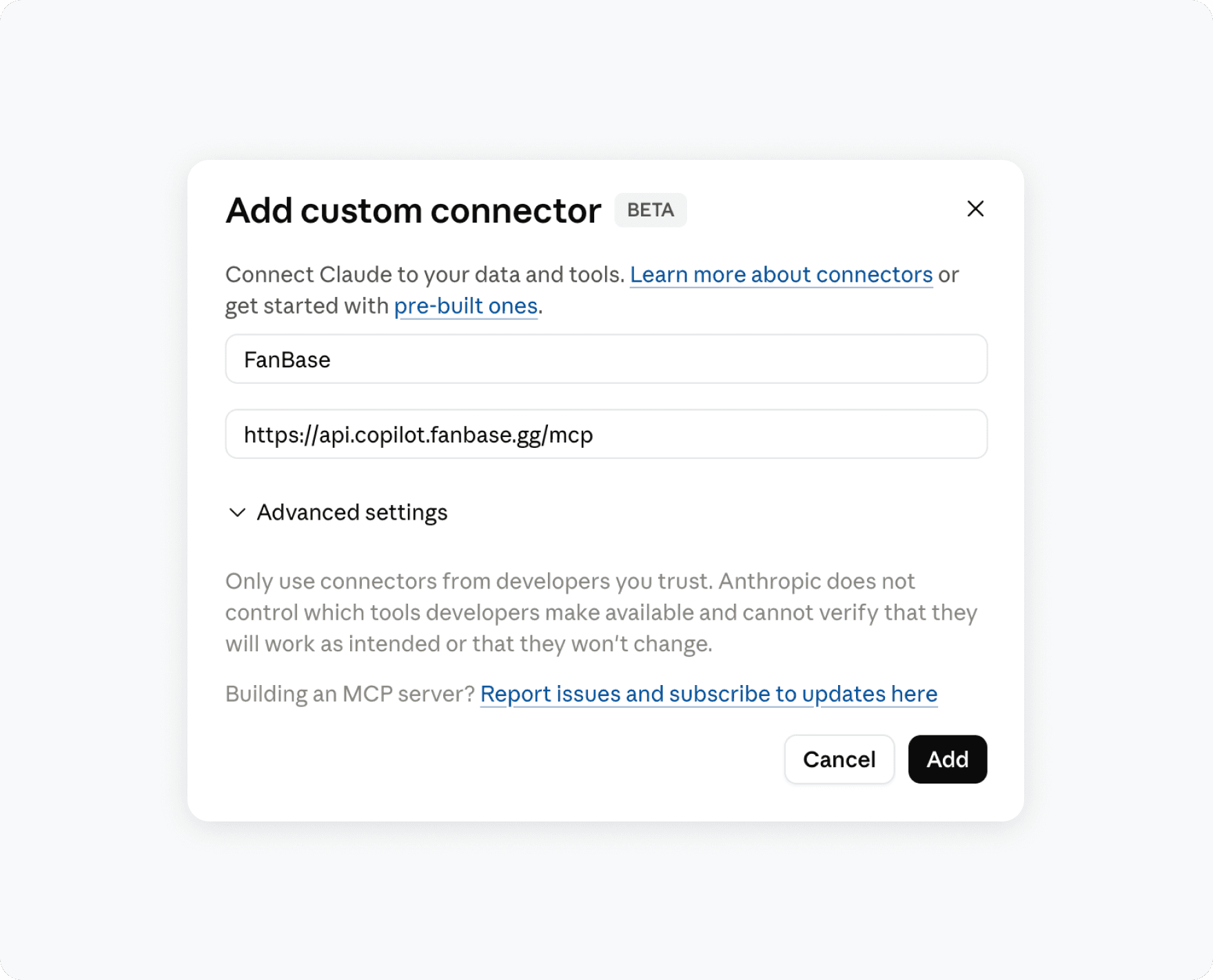
Go to Settings → Connectors (enable Developer Mode first if you don't see this)
Select Add connector and add the MCP URL (https://api.copilot.fanbase.gg/mcp)
Prompt Examples
Ask your assistant things like:
"Give me a summary of my community activity this week."
"Who are my most engaged fans right now?"
"Draft a post about the new drop and schedule it for Thursday at 9am."
"Reply to the comments on my last post in my voice, and flag anyone who asked about pricing."
About your data
Connects only through each platform's official API. No scraping, no fake logins.
Your data is never used to train AI models. Only to answer requests and act on your behalf.
No API keys involved, so there's nothing to leak.
You control what it's allowed to do, and can revoke access anytime from FanBase → Settings → AI Connections, effective immediately.
FAQ
Do I need an API key? No. You authenticate with your normal FanBase login.
Which assistants are supported? Claude and ChatGPT today, OpenClaw and others coming. ChatGPT app store listing is coming soon for one click install.
Can it post without my approval? Depends on the permissions you grant. It can post directly, or hold drafts for review first.
How do I disconnect it? FanBase → Settings → AI Connections → Remove. Access is revoked immediately.